

Know what your reader knows, at every beat.
Anden is a story authoring tool. Build each scene from facts and the prose that shows them, with your story bible open next to it. Select any point in the story to see what’s true there.
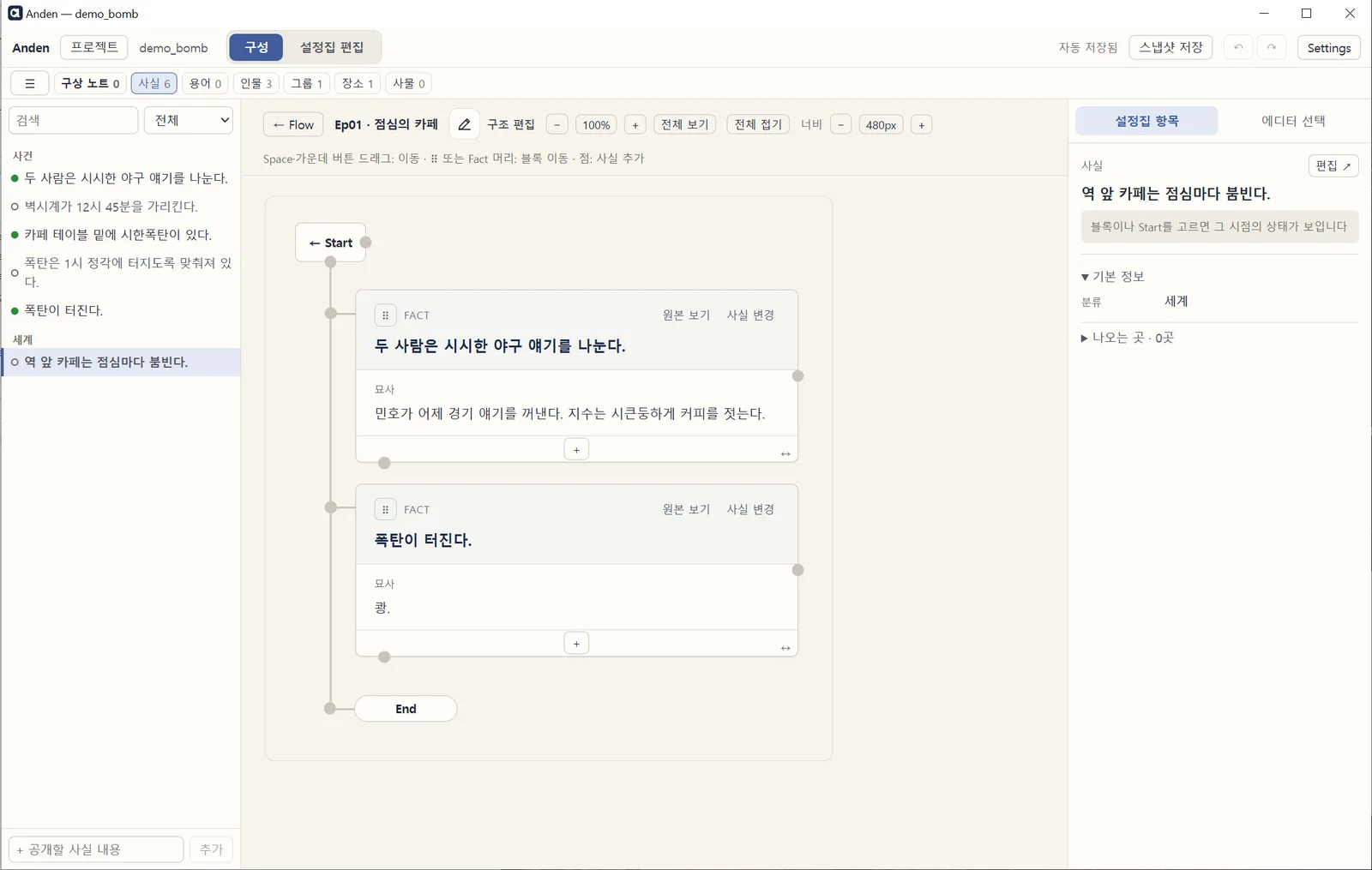
SAMPLE PROJECT DEMO_BOMB · EP01 · LUNCH AT THE CAFÉ
Decide what the reader learns, and when.
Scenes as a flow of facts
Each block states what happens, with the prose that shows it underneath. Drag blocks between Start and End to change the order things are revealed. Zoom out to see every episode in one flow.
Who knows what, at every beat
Select a block, or Start, and see what is true at that moment: when the reader first learns each fact, and which characters still don’t know it.
A story bible that stays connected
Idea notes, facts, terms, characters, groups, places and objects live next to the story, each showing where it appears. Facts are sorted into two kinds: events and world.
Autosave and snapshots
Everything saves as you write. Save a snapshot before a big rewrite and come back to it any time.
Agent-ready CLI
Let your agent read and check the story.
Anden’s command line lets an AI agent or a script read, check and update a project. You can talk through the structure with your own agent and have it suggest changes.
No generative AI in Anden. Your agent can suggest changes, but you decide what stays.
Sample projects
Open one and take it apart. Available at launch.
Two people make small talk about baseball over lunch. Under their café table, a time bomb.
Hide the bomb until it goes off: fifteen seconds of surprise. Show it first: fifteen minutes of suspense. The facts don’t change. Only the order does.
VIDEO · 23 S · KOREAN CAPTIONSSeoyun comes home as the village’s new lighthouse keeper. On the eve of the festival, a stranger knocks at the lighthouse.
One twist, built up across four episodes. Move the reveal and see who knows what, and when.
VIDEO · 31 S · KOREAN CAPTIONSBe first to write with Anden.
One email when Anden is available. Nothing else unless you ask for it.
Questions
Who is Anden for?
Writers of serialized stories, like web novels, TV dramas and game scenarios, who want every reveal to land in the right episode.
Does Anden use generative AI?
No. Anden has no generative AI and never writes for you. If you use your own agent, it can read, check and update your project through the command line. It can suggest changes, but you decide what stays.
Which languages does the app support?
English and Korean.
How are my projects saved?
In Anden’s own project format, with autosave and snapshots.
What do I need to run it?
Windows 10 (version 21H2 or later) or Windows 11. Anden is a lightweight desktop app and runs without installing. A Mac version isn’t available yet.